Surfe
Surfe saves you time and improves your outreach by bringing Copper on top of LinkedIn.
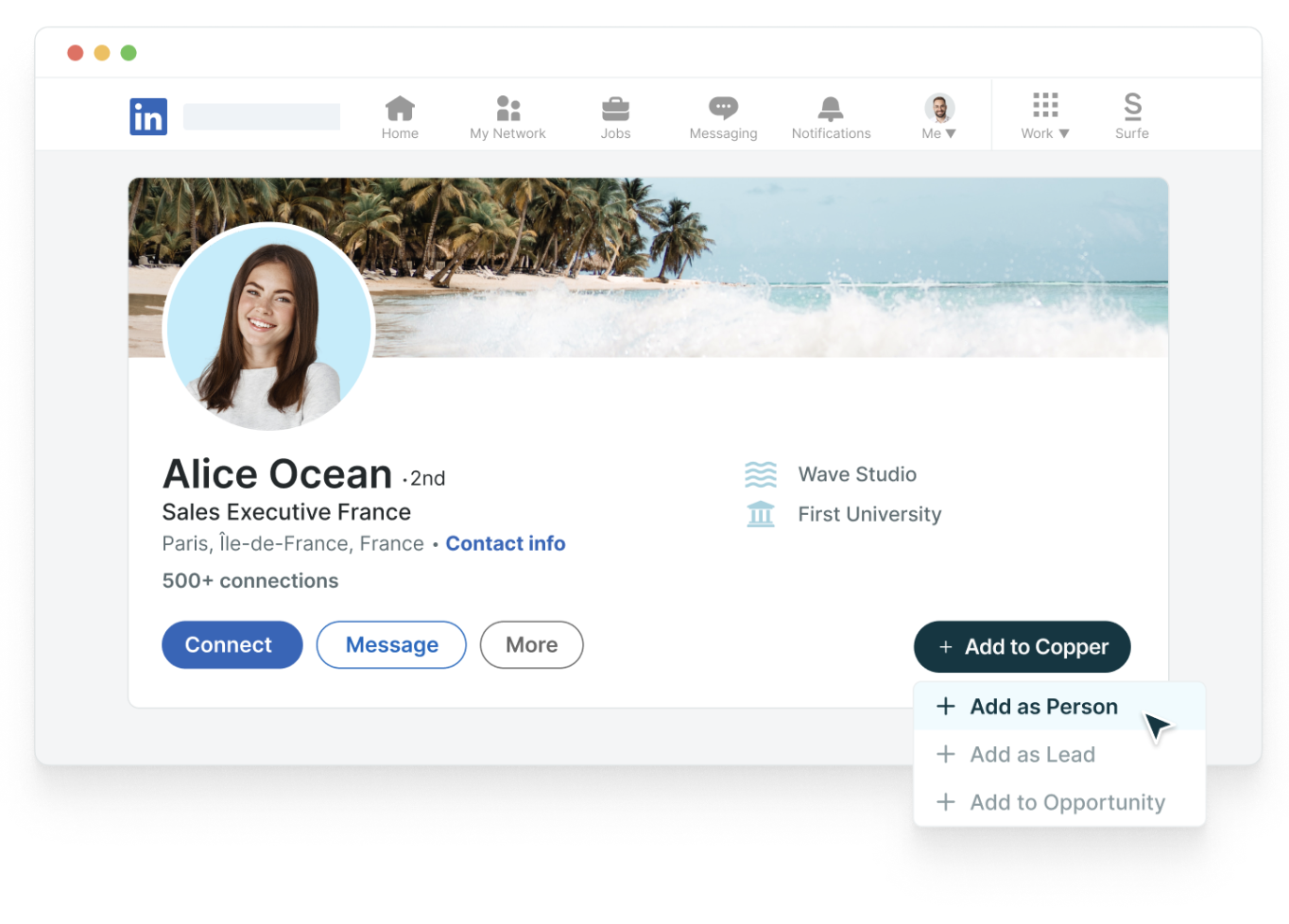
Add LinkedIn contacts to Copper in 1-click. Add contacts to Copper, manage deals and pipelines, edit the data associated with a contact in your CRM directly from LinkedIn.
Find professional email addresses. Surfe’s enrichment cascade searches multiple partner tools for the professional and verified email addresses of your prospects, then adds them to Copper automatically for you.
Ultimate synchronization between LinkedIn and CRM. Sync LinkedIn messages into Copper, add notes to LinkedIn profiles that are automatically added to Copper, manage deals on LinkedIn, export lead lists from Sales Navigator to Copper
Increase your prospect’s reply rates with message template analytics. Use Surfe’s message templates to create personalized messages for any occasion: intros, outreach, demo proposals, follow-ups. Get analytics on which of your templates is receiving the highest response rate.




Frequently asked questions
Can’t find the answer here?
Chat with support.
CRM integration involves connecting other business applications with your CRM platform to feed data to, from or between your tech tools. Copper’s goal with CRM integration is to help you seamlessly sync the business software you use daily to your CRM to give you a complete, accurate snapshot of your business and customers.
Our integrations with Gmail, Google Calendar, Google Contacts and Google Drive are included with all plans. Most of our CRM integrations are included on Professional plans and above, but select integrations are available on Business plans only. Check the plan availability section in each listing to confirm.
Yes! You can set up integrations on a free trial. During your free trial, you will be using our CRM software on the Business plan to experience the full capabilities of Copper. Most of our CRM integrations are included on Professional plans and above, but select integrations are available on Business plans only.
[object Object]
If you work at a B2B software company and you’ve built an integration with Copper, email partners@copper.com to apply to be featured on our integrations marketplace. We’ll get in touch if the integration meets our entry requirements.
It depends on the integration! Check each integration listing page for more detailed instructions. In all cases, you’ll need to be an admin or account owner to set up integrations for your account.
Try Copper free.
Instant activation, no credit card required. Give Copper a try today.