New! Send emails directly from our Chrome extension
Scale your communications with a personal touch.
Less busywork. More connection. Automate, personalize, and track every email, right from Gmail.











Less busywork. More connection. Automate, personalize, and track every email, right from Gmail.











Copper is trusted by 30,000+
companies of all sizes

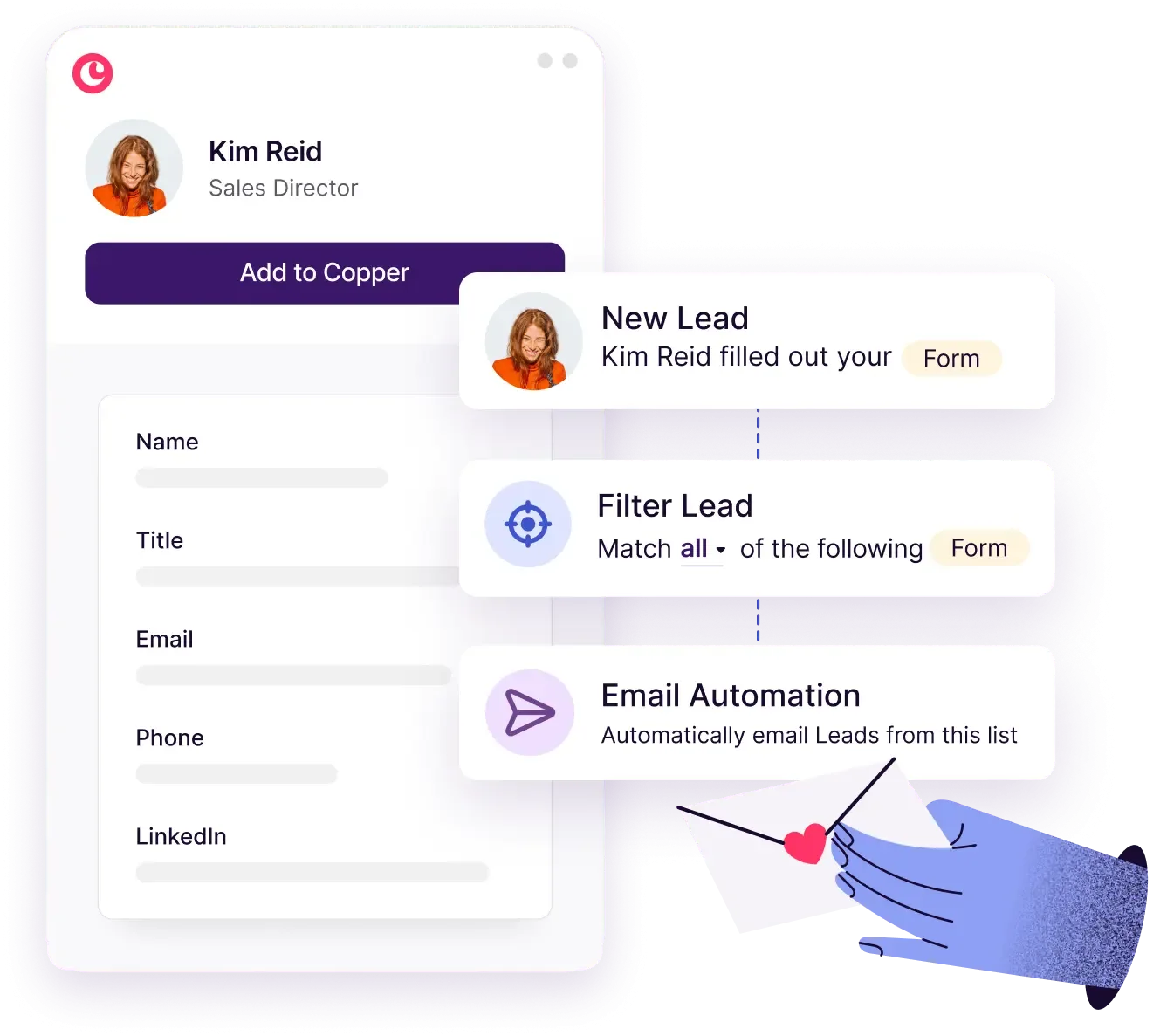
Add a Copper form to your website to capture new leads, create opportunities, and automatically send a personalized follow-up email.
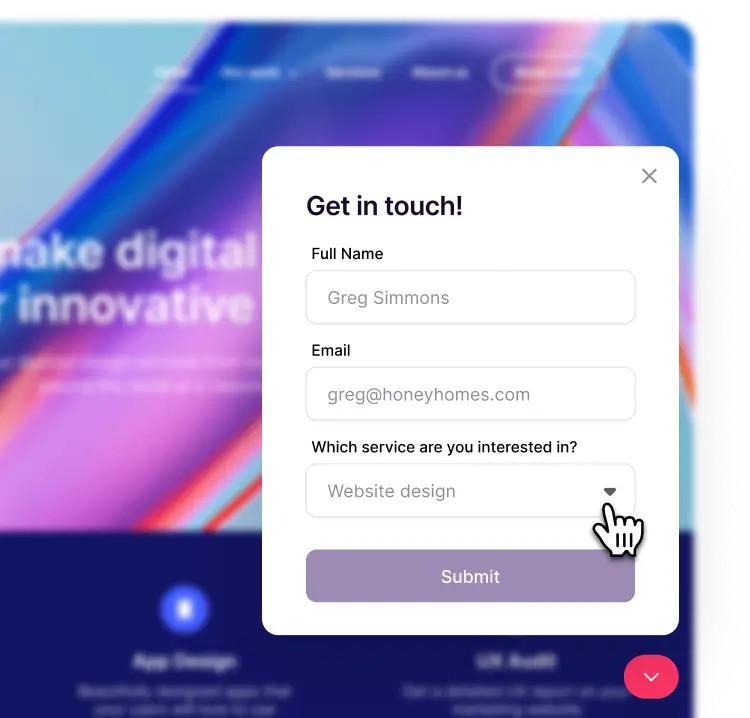

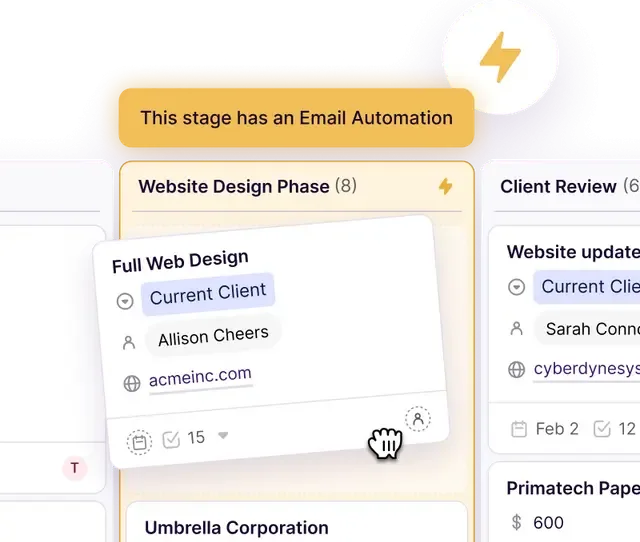
Make relationship-building effortless with automation that connects with new leads, re-engages quiet contacts, and triggers follow-ups based on pipeline stages.

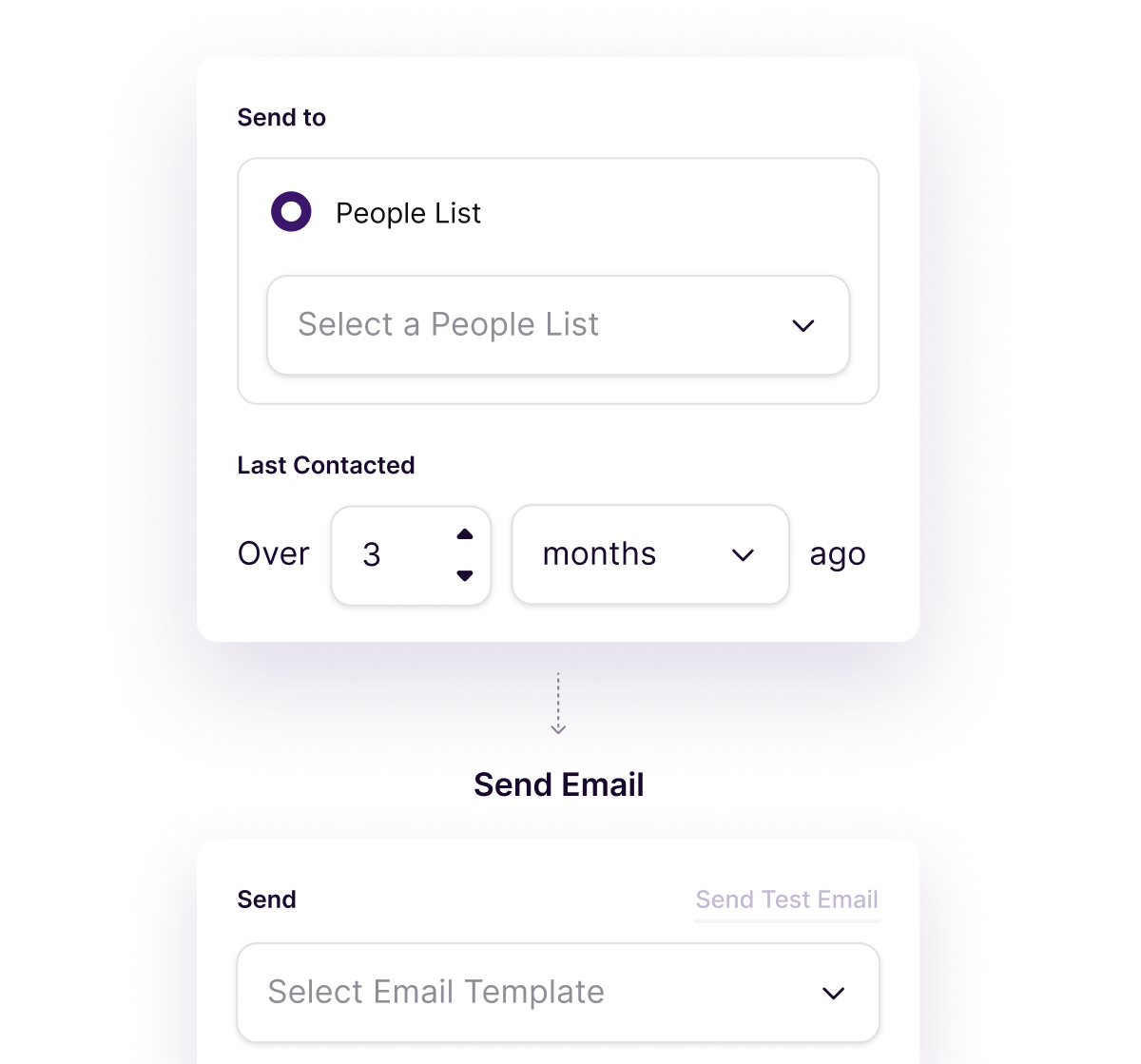
Set up automatic friendly follow-ups that keep you top-of-mind. Copper sends gentle nudges that feel personal, not pushy.

"We can get a lot more efficient with our day to day with AI to help with the mundane part of writing an email."


Reply, log, and send emails from anywhere, including LinkedIn.
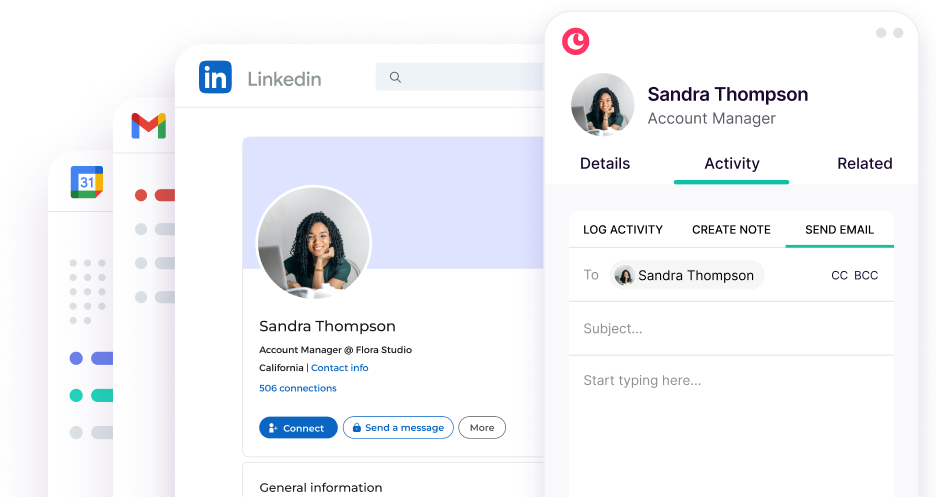
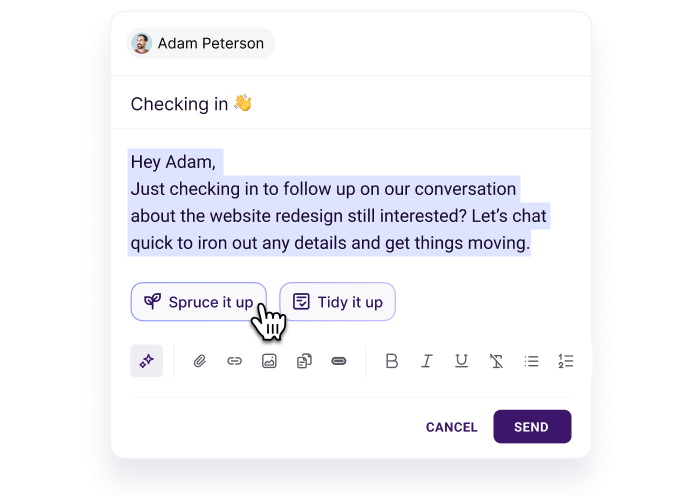
Let Copper's AI rewriter instantly enhance your message. Clarify your tone, tighten your copy, or make it more engaging in seconds.
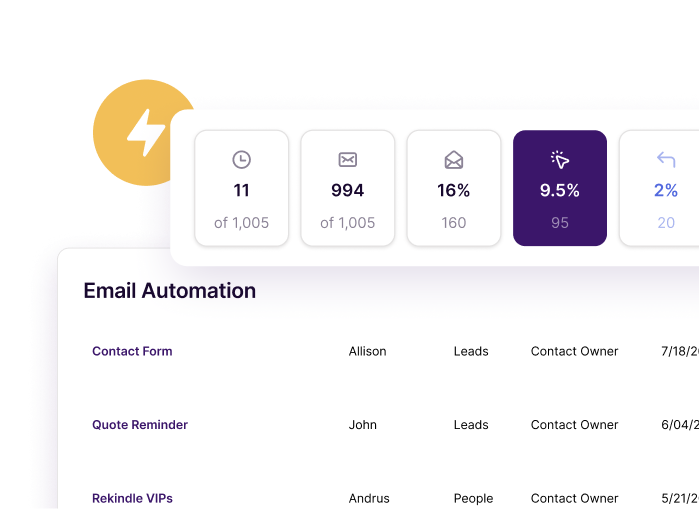
Track opens, clicks, and replies for every email you send. See which messages resonate and which need tweaking.
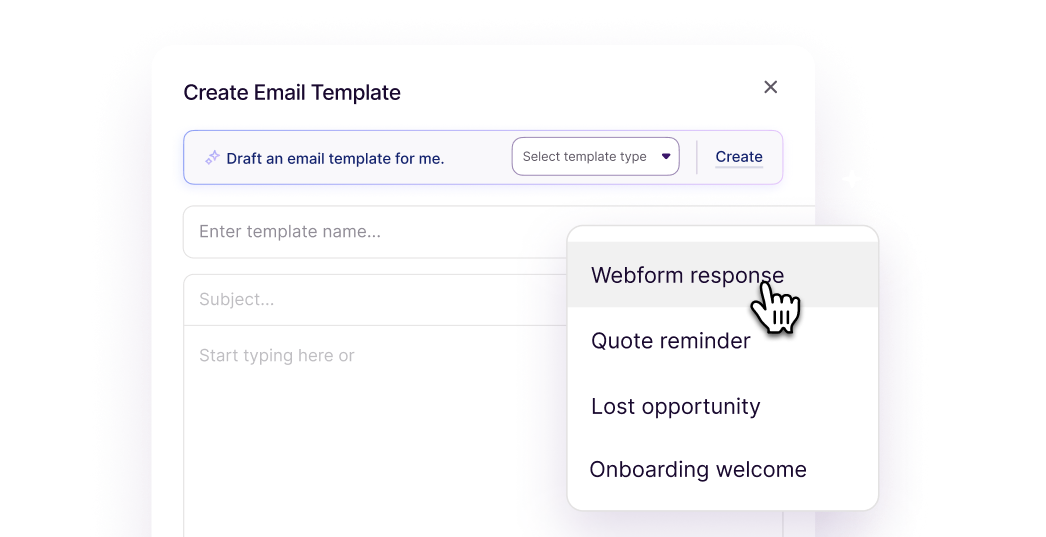
Speed up communication by bringing templates and custom fields into Gmail. Writers block? Use AI to help draft emails and templates.
"For visual people, if you can't see it, it's not there. We like to be able to see everything on one screen, and Copper does that for us."

Copper is purpose-built to help relationship-focused businesses manage their entire customer journey.

Send emails to multiple recipients from your own Gmail account.

Easily monitor when a hot lead or customer clicks on links in your email, so you can send timely follow-ups.

Speed up your emails by adding merge fields that bring in names, emails, phone numbers and other custom fields.

Collect new leads and create opportunities from your website with custom fields for budgets, interests, and more.

Starting from scratch is hard. Copper's email automation templates get you up and running quickly.

Automatically email the primary contact at a Company in a saved filter.

"As a small business I love that Copper can keep my emails and tasks organized. The large CRM platforms were too much. As my day is all email, Copper is just what I need."
"Copper CRM helps keep me focused and organized with my business. The pricing is fair and customer service has been great too. I've used it since 2016...and highly recommend it!"
"Copper keeps track of all correspondence with your customers. It also sends you reminders via email and allows you to email your work colleagues. The layout is very user-friendly, and the information is accessible."
"I love the fact that it integrates perfectly with Google Workspace. This has been an amazing experience for me since I’m always using Gmail, Drive, and Calendar."
"The Gmail integration is my favorite Copper feature. It makes it easy to add new leads, people, etc... I also love the task tool and how it integrates with Gmail and Calendar."
"Great CRM for Gmail users. Copper's unique angle is that it is tightly integrated with Gmail - so as you're emailing contacts, you can easily add those people and opportunities into your CRM. This makes it very easy to use which saves a lot of time and makes CRM updates less of a chore."
"Got introduced to Copper for a CRM and it's chef's kiss. It naturally integrates with Google Workspace and has a cute little inbox plug in."
"Copper CRM piggy backs right on top of Gmail in a seamless way."
"I love the Google plugin. My business uses Google Workspace for just about everything we do, and the Copper + Google Workspace integration is fantastic."
"I love the Google plugin. My business uses Google Workspace for just about everything we do, and the Copper + Google Workspace integration is fantastic."
"Copper keeps track of all correspondence with your customers. It also sends you reminders via email and allows you to email your work colleagues. The layout is very user-friendly, and the information is accessible."
"Copper CRM helps keep me focused and organized with my business. The pricing is fair and customer service has been great too. I've used it since 2016...and highly recommend it!"
"The Gmail integration is my favorite Copper feature. It makes it easy to add new leads, people, etc... I also love the task tool and how it integrates with Gmail and Calendar."
"Great CRM for Gmail users. Copper's unique angle is that it is tightly integrated with Gmail - so as you're emailing contacts, you can easily add those people and opportunities into your CRM. This makes it very easy to use which saves a lot of time and makes CRM updates less of a chore."
"Got introduced to Copper for a CRM and it's chef's kiss. It naturally integrates with Google Workspace and has a cute little inbox plug in."
"I love the fact that it integrates perfectly with Google Workspace. This has been an amazing experience for me since I’m always using Gmail, Drive, and Calendar."
"Copper CRM piggy backs right on top of Gmail in a seamless way."
"As a small business I love that Copper can keep my emails and tasks organized. The large CRM platforms were too much. As my day is all email, Copper is just what I need."
Yes! Copper allows you to create and send automated multi-step drip campaigns and series using your Gmail account. You can schedule emails to go out in a specific order, set delays between steps, and personalize each message using CRM merge fields, all without switching tabs or using a third-party tool. These sequences are perfect for sales follow-ups, onboarding new clients, and nurturing warm leads. Since Copper is natively built for Google Workspace.
Absolutely. Copper supports sending bulk, personalized emails through Gmail using built-in mail merge and email template features. You can select a list of up to 200 contacts from your CRM, apply a saved template, and use dynamic merge fields to customize each message. This means every recipient gets a personalized dynamic email content, even when you're sending to hundreds at once. It’s ideal for announcements, check-ins, and campaign outreach, all with engagement tracking built in.
Copper includes AI-powered writing assistance on Professional and Business plans to help you craft smarter, faster emails that get results. You can use suggestions to improve tone, adjust length, and add clarity—perfect for outreach, time-based follow-ups, or nurturing sequences. It’s designed to save time while keeping your voice consistent and effective.
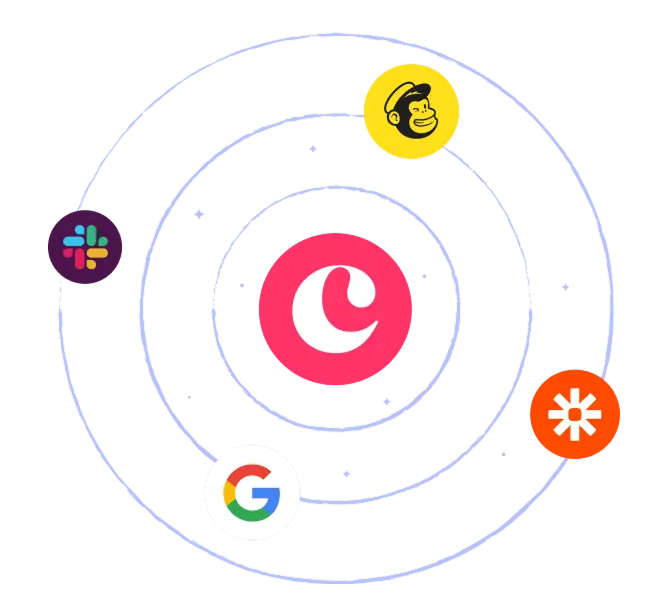
Copper integrates with popular marketing platforms like Mailchimp, so you can sync your CRM contacts and run targeted email newsletter campaigns without manual uploads. You can also use Copper’s Chrome extension to capture leads from LinkedIn and other websites, instantly adding them to your CRM and kicking off automated outreach. Whether you’re running drip campaigns, building newsletters, or engaging prospects on social, Copper connects your sales process with your broader marketing stack, so everything works together to move leads forward.
Copper offers customizable contact forms you can embed on your website to automatically capture leads and send them straight into your CRM. Once in Copper, you can tag, qualify, and segment those leads using custom fields and pipelines. You can also trigger email automation or assign follow-up tasks, so nothing slips through the cracks.
Copper is the only CRM built specifically for Google Workspace, making it the most seamless and powerful option for sending an email series directly from Gmail. You can create multi-step outreach workflows, personalize messages with merge fields, and track every click, and reply, all without leaving your inbox. It replaces bulky tools and disconnected extensions with a single, streamlined solution. Combined with AI writing, real-time analytics, integrations, and native Gmail functionality, Copper gives you everything you need to scale outreach and build stronger relationships at scale.
Take Copper for a spin first. Pay and add your team later.