JustCall
JustCall cloud phone system integrates with Copper CRM in just a few clicks and lets you keep a track of all your calls/texts against your people, leads and companies. Integrate to streamline your workflow and save time.
JustCall brings calling, messaging, and AI insights right into Copper — so your team can move fast, stay in sync, and never miss a follow-up.
Key JustCall Features
• AI Voice Agent for 24/7 lead capture & call handling
• Power, Dynamic & 10-line Predictive dialer
• AI call summaries, sentiment analysis & scorecards
• Workflow builder for call, SMS & email automations
• Inbound call handling with call queueing, IVR & business hours
• Global coverage with local presence in 70+ countries
What you can do with JustCall + Copper
Call & text without switching tools
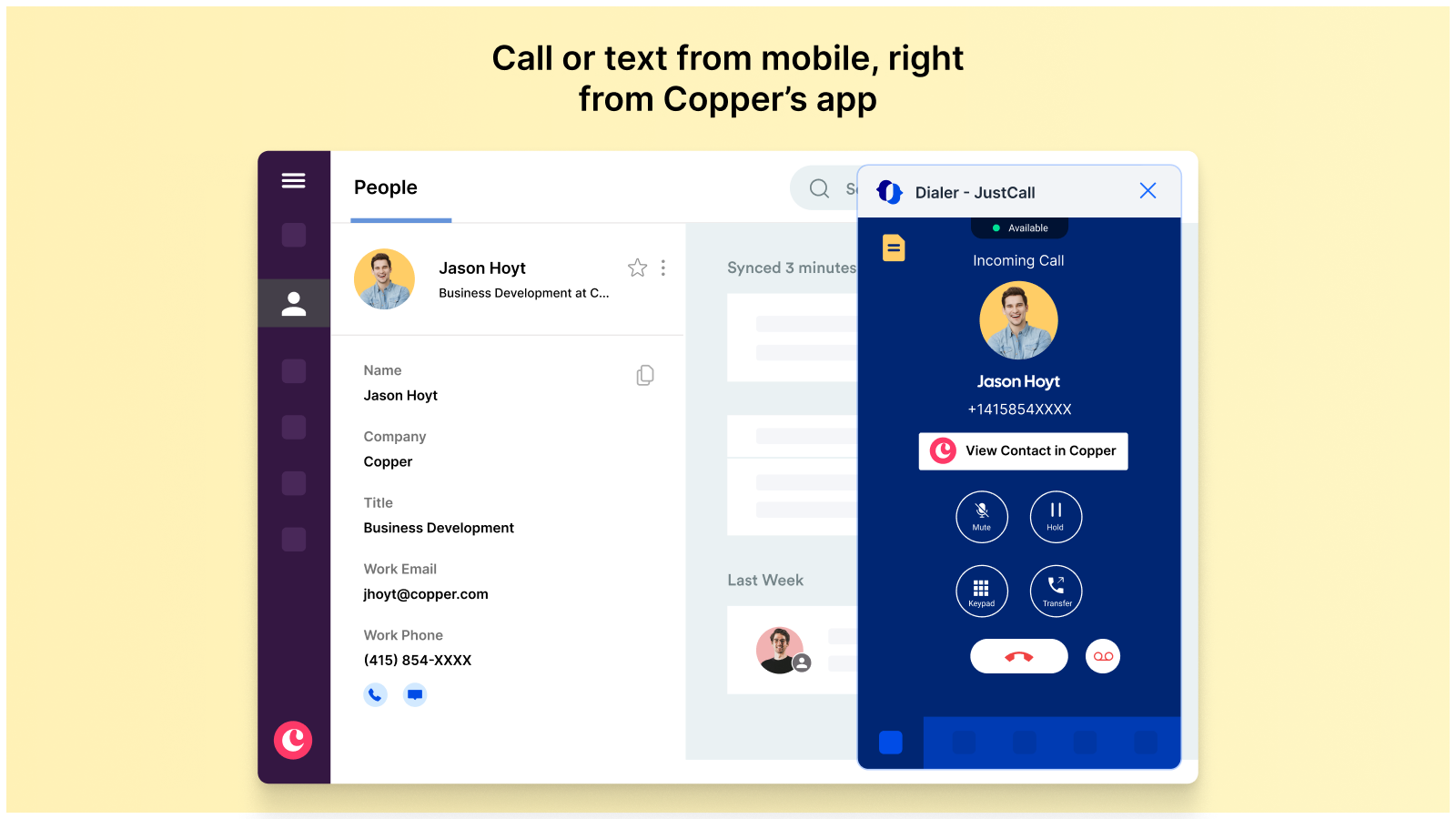
Make calls and send texts directly from Copper using JustCall’s integrated dialer — on desktop, browser, or mobile for a seamless, on-the-go experience.
Auto-log every touchpoint
Every call, SMS, voicemail, and note is logged in Copper timelines — instantly. So you can forget manual updates and focus on the next move.
Coach smarter with AI call insights
Review performance with AI-generated summaries, sentiment analysis, and scorecards. Spot what’s working, coach with context, and help your team grow faster.
Run high-volume outbound campaigns
Import your Copper contacts and launch high-volume outbound calling campaigns in just a few clicks. Choose from Power, Dynamic, or 10-line Predictive dialer and boost live connect rates without burning out your team.
How to Integrate
- Login to your JustCall account.
- Head over to integrations in the sidebar.
- Search for Copper under ‘All Integrations’.
- Click on +Integrate button.
- Enter your Copper email address and click on 'Integrate'.
- Next, click on the 'Authorize' button to successfully complete the integration.
For more information, click here.
This integration was built by JustCall. For questions, support or troubleshooting, contact the JustCall team.




Frequently asked questions
Can’t find the answer here?
Chat with support.
CRM integration involves connecting other business applications with your CRM platform to feed data to, from or between your tech tools. Copper’s goal with CRM integration is to help you seamlessly sync the business software you use daily to your CRM to give you a complete, accurate snapshot of your business and customers.
Our integrations with Gmail, Google Calendar, Google Contacts and Google Drive are included with all plans. Most of our CRM integrations are included on Professional plans and above, but select integrations are available on Business plans only. Check the plan availability section in each listing to confirm.
Yes! You can set up integrations on a free trial. During your free trial, you will be using our CRM software on the Business plan to experience the full capabilities of Copper. Most of our CRM integrations are included on Professional plans and above, but select integrations are available on Business plans only.
[object Object]
If you work at a B2B software company and you’ve built an integration with Copper, email partners@copper.com to apply to be featured on our integrations marketplace. We’ll get in touch if the integration meets our entry requirements.
It depends on the integration! Check each integration listing page for more detailed instructions. In all cases, you’ll need to be an admin or account owner to set up integrations for your account.
Try Copper free.
Instant activation, no credit card required. Give Copper a try today.