Fireflies.ai
Fireflies.ai is an AI meeting assistant that automatically records, transcribes, and analyzes your voice conversations. When connected with Copper, calls and meetings will automatically be logged in Copper under the appropriate contact. A link to your transcript, audio recording and brief notes will be included.
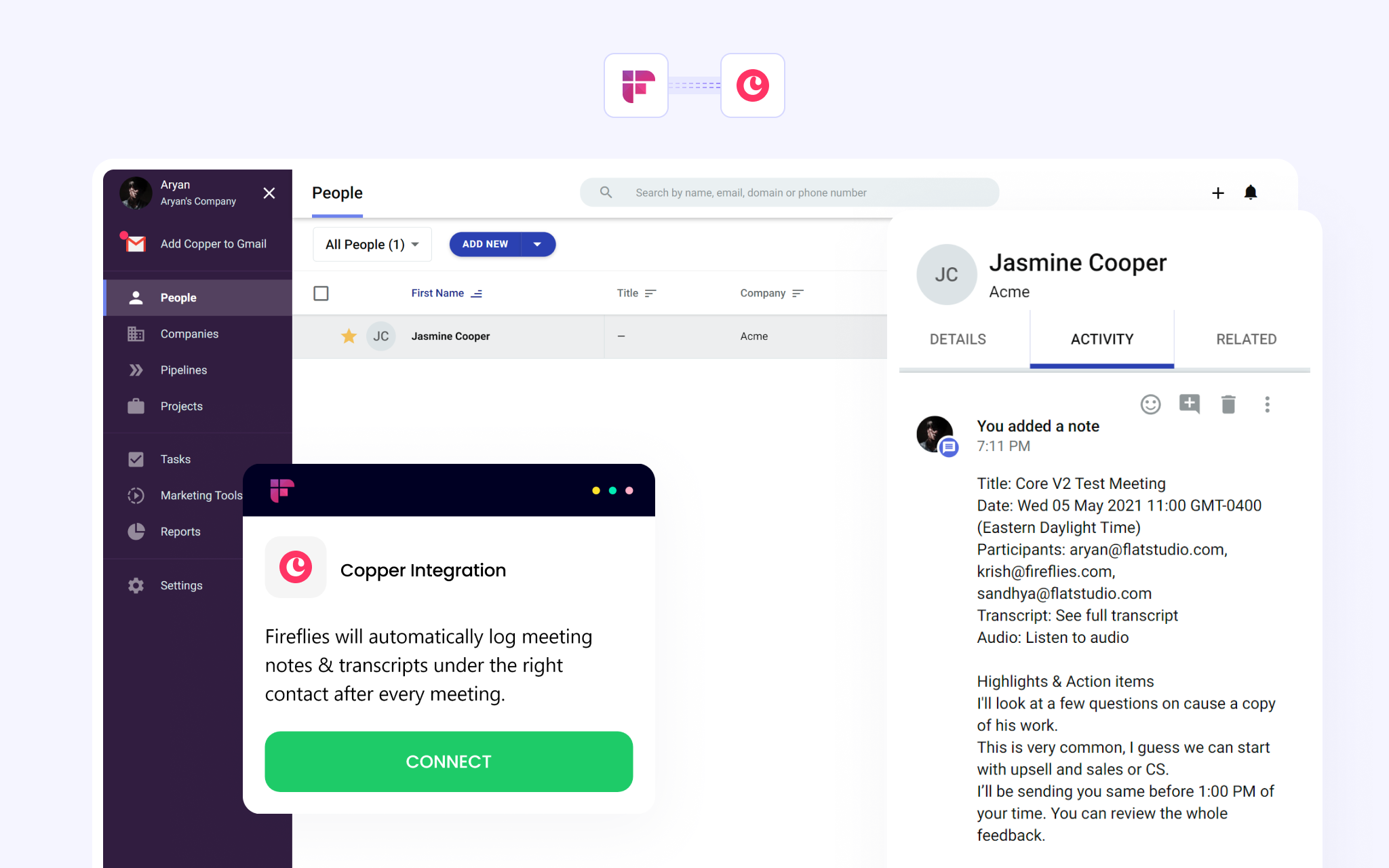
Fireflies.ai is an AI meeting assistant that automatically records, transcribes, and analyzes your voice conversations. Our AI assistant, Fred, integrates with all leading web-conferencing platforms, along with business applications. When connected with Copper, calls will automatically be logged in Copper under the appropriate contact. A link to your transcript, audio recording and brief notes will be included.
Key Highlights of Fireflies.ai and Copper Integration:
- Eliminate manual data entry. Fireflies automatically logs audio recordings, brief notes, and transcript links to the appropriate contact in Copper CRM.
- Integrates with leading web-conferencing and collaboration platforms like Zoom, Slack, Workplace, Google Meet, Webex, Microsoft Teams, Skype, and many more.
- Collaborate with your team. Add comments & flag important moments on calls for teammates to easily review.
- Review an hour long call in less than 5 minutes. Filter and use Smart Search to find action items, dates, metrics, and other important topics.
- Analyze conversations with Conversation Intelligence to discover coaching opportunities, track keywords, find key trends, and get insights from your conversation data.
To integrate with Copper and Fireflies:
- Log into your Fireflies account at https://app.fireflies.ai/
- Select Integrations from the left sidebar menu of the Fireflies dashboard.
- Search for Copper in the search bar.
- Select Copper and enter your Copper API key and the email associated with the key. Click Connect.
- You have successfully enabled the Copper integration. You'll notice the Active badge and a green tick on the Copper integration on your Fireflies dashboard.
- Select what data you want to log. Pick if you want to log for all contacts or existing CRM contacts.
- Calls will now be automatically logged in Copper under the appropriate contact, along with the link to the transcript, the audio recording, and brief notes.
This integration was built by Fireflies.ai. For questions, support or troubleshooting, contact the Fireflies team.



Frequently asked questions
Can’t find the answer here?
Chat with support.
CRM integration involves connecting other business applications with your CRM platform to feed data to, from or between your tech tools. Copper’s goal with CRM integration is to help you seamlessly sync the business software you use daily to your CRM to give you a complete, accurate snapshot of your business and customers.
Our integrations with Gmail, Google Calendar, Google Contacts and Google Drive are included with all plans. Most of our CRM integrations are included on Professional plans and above, but select integrations are available on Business plans only. Check the plan availability section in each listing to confirm.
Yes! You can set up integrations on a free trial. During your free trial, you will be using our CRM software on the Business plan to experience the full capabilities of Copper. Most of our CRM integrations are included on Professional plans and above, but select integrations are available on Business plans only.
[object Object]
If you work at a B2B software company and you’ve built an integration with Copper, email partners@copper.com to apply to be featured on our integrations marketplace. We’ll get in touch if the integration meets our entry requirements.
It depends on the integration! Check each integration listing page for more detailed instructions. In all cases, you’ll need to be an admin or account owner to set up integrations for your account.
Try Copper free.
Instant activation, no credit card required. Give Copper a try today.