LinkMatch
Seamless LinkedIn integration for Copper CRM. Import LinkedIn profiles, Sync Messages, automatically assign Pipelines, Tasks, Activities and much more.
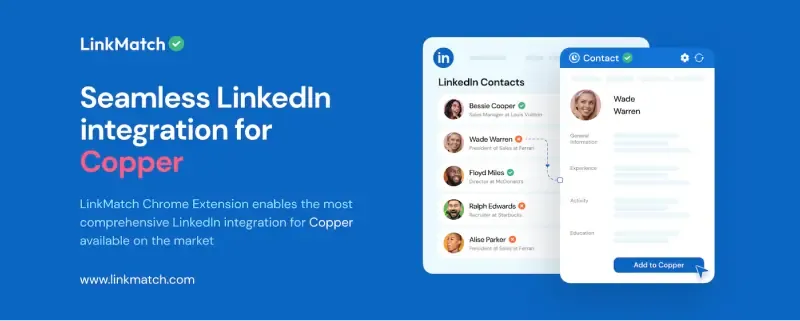
LinkMatch offers seamless LinkedIn integration for Copper CRM, allowing you to view and sync LinkedIn profiles directly within your CRM. Save time by automatically importing LinkedIn data, including profile information, job titles, and contact details, into Copper. This integration ensures your CRM always contains the most current information.
Key Features:
- Import LinkedIn Profiles: Import LinkedIn person and company profiles effortlessly.
- Enrich Contacts' Data: Automatically add emails to your contacts.
- Profile Status: Instantly see which profiles are already in your Copper CRM.
- Sync Messages: Sync LinkedIn messages directly into Copper.
- Create Leads and Deals: Create leads and tasks from LinkedIn.
- View/Edit Contacts: Manage your Copper contacts and organizations without leaving LinkedIn.
- Bulk Import: Import multiple LinkedIn profiles at once.
- Custom Fields: Support for custom Copper fields.
Boost your productivity and keep your CRM records accurate with LinkMatch for Copper CRM.




Frequently asked questions
Can’t find the answer here?
Chat with support.
CRM integration involves connecting other business applications with your CRM platform to feed data to, from or between your tech tools. Copper’s goal with CRM integration is to help you seamlessly sync the business software you use daily to your CRM to give you a complete, accurate snapshot of your business and customers.
Our integrations with Gmail, Google Calendar, Google Contacts and Google Drive are included with all plans. Most of our CRM integrations are included on Professional plans and above, but select integrations are available on Business plans only. Check the plan availability section in each listing to confirm.
Yes! You can set up integrations on a free trial. During your free trial, you will be using our CRM software on the Business plan to experience the full capabilities of Copper. Most of our CRM integrations are included on Professional plans and above, but select integrations are available on Business plans only.
[object Object]
If you work at a B2B software company and you’ve built an integration with Copper, email partners@copper.com to apply to be featured on our integrations marketplace. We’ll get in touch if the integration meets our entry requirements.
It depends on the integration! Check each integration listing page for more detailed instructions. In all cases, you’ll need to be an admin or account owner to set up integrations for your account.
Try Copper free.
Instant activation, no credit card required. Give Copper a try today.