PersistIQ
PersistIQ is a sales outreach platform that automates prospecting, email outreach, calls, tasks, and social selling. PersistIQ's Copper integration enables you to add Copper leads & contacts directly to PersistIQ campaigns and keep your records synced automatically.
PersistIQ is a sales outreach platform that automates prospecting, email outreach, calls, tasks, and social selling.
Thousands of sales teams use PersistIQ to find prospect’s emails, send personalized outreach emails, automate follow-ups, and book more meetings.
PersistIQ’s sales outreach platform overview:
- Multi-channel Outreach Sequences: Email, call, Linkedin outreach, and tasks
- Prospecting: Find verified emails to build your prospect lists
- Call Dialer: Call prospects inside PersistIQ, use local phone numbers, and save call recordings
- Automation Triggers: Trigger outreach campaigns based on email opens, replies, and CRM data
- Gmail Extension: Email templates, notifications, campaigns, and prospect profiles inside Gmail
- Analytics: A/B Testing, reply sentiment analysis, and reporting
- Team Collaboration: Shared templates, team reporting, and user management
- Copper Integration: Add Copper leads & contacts directly to PersistIQ campaigns and keep your records synced automatically
PersistIQ + Copper Integration overview:
- Add Copper leads & contacts directly to PersistIQ campaigns and keep your records synced automatically
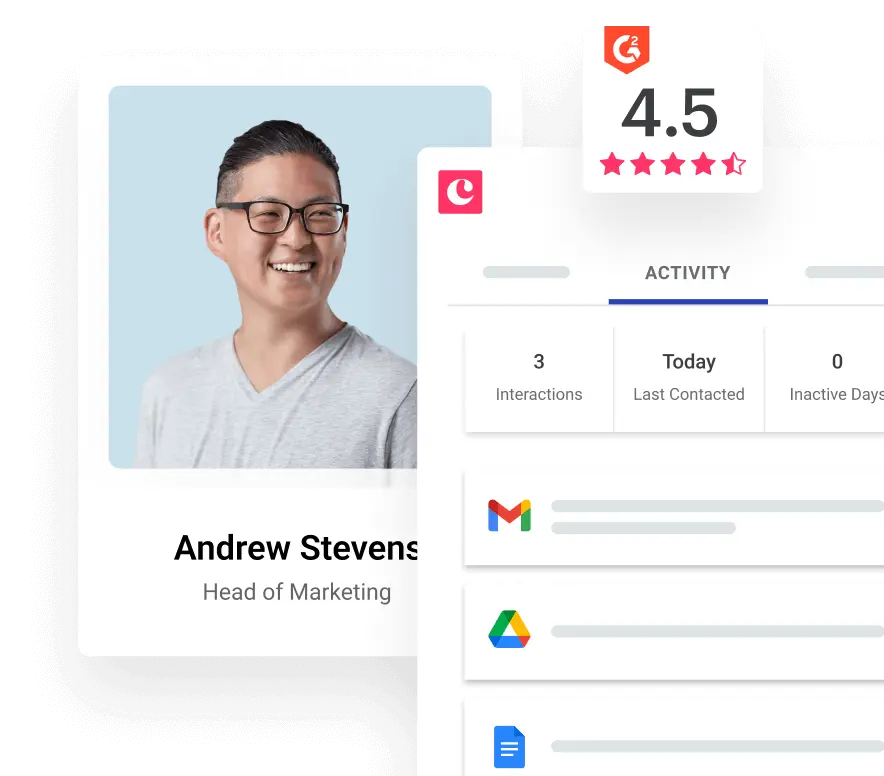
- View PersistIQ campaigns, emails sent, tasks/call tasks completed, and the notes saved on these tasks in the Activity summary (Dashboard > Activity) or in the activity feed of each record in Copper
- Push individual records (Lead/Person) or multiple records directly to PersistIQ without leaving the Copper dashboard
- Sync the following data between Copper and PersistIQ: Lead Fields and Statuses, People Fields and Statuses, Company Fields, PersistIQ and Copper Users (sync record ownership), Tags
Use cases:
- Outbound Sales: Find prospect’s emails and automate personalized outbound campaigns at scale
- Inbound Sales: Automate follow-ups with inbound leads to close more deals
- Recruiting: Reach out to prospective job candidates




Frequently asked questions
Can’t find the answer here?
Chat with support.
CRM integration involves connecting other business applications with your CRM platform to feed data to, from or between your tech tools. Copper’s goal with CRM integration is to help you seamlessly sync the business software you use daily to your CRM to give you a complete, accurate snapshot of your business and customers.
Our integrations with Gmail, Google Calendar, Google Contacts and Google Drive are included with all plans. Most of our CRM integrations are included on Professional plans and above, but select integrations are available on Business plans only. Check the plan availability section in each listing to confirm.
Yes! You can set up integrations on a free trial. During your free trial, you will be using our CRM software on the Business plan to experience the full capabilities of Copper. Most of our CRM integrations are included on Professional plans and above, but select integrations are available on Business plans only.
[object Object]
If you work at a B2B software company and you’ve built an integration with Copper, email partners@copper.com to apply to be featured on our integrations marketplace. We’ll get in touch if the integration meets our entry requirements.
It depends on the integration! Check each integration listing page for more detailed instructions. In all cases, you’ll need to be an admin or account owner to set up integrations for your account.
Try Copper free.
Instant activation, no credit card required. Give Copper a try today.