Helpwise
Helpwise is a collaborative inbox tool that centralizes communication from various channels, streamlining workflows, and empowering businesses to provide exceptional customer support with shared inboxes, automated workflows, and personalized responses.
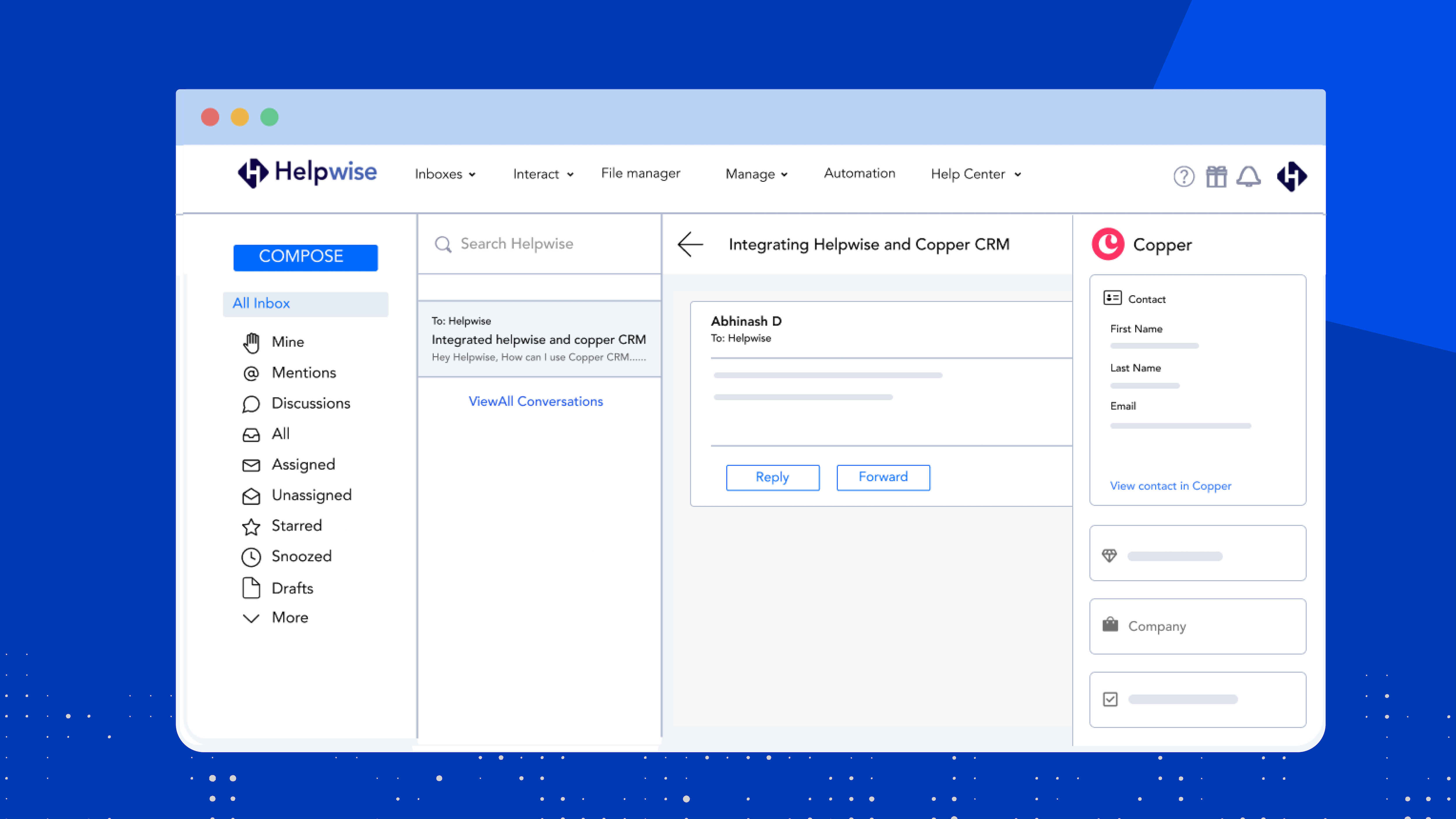
The integration of Helpwise with Copper CRM enables users to access real-time contact and lead information from their Copper account directly within Helpwise. With just a click, users can view and manage Copper CRM contacts, including leads and associated companies, without having to switch between platforms.
Things you can do using the Helpwise-Copper integration:
- One-click access to Copper CRM contacts: Users can instantly access their Copper CRM contacts within Helpwise, eliminating the need for manual searching or navigating to the Copper platform separately.
- Access to Copper CRM Leads: Helpwise allows users to view and manage Copper CRM leads directly within their Helpwise inbox. This streamlined access improves efficiency and enables quick actions based on lead information.
- Adding contacts, leads, and companies: Users can create new contacts or leads in their Copper CRM directly from Helpwise. This capability simplifies the process of capturing important customer information, saving time and effort.
- Association of contacts and companies: When creating a new contact or lead in Copper CRM from Helpwise, users can also associate the contact with a specific company. This association ensures a more organized and structured approach to managing customer relationships.
Start using Helpwise's Copper CRM integration to efficiently collaborate across your teams!
More integrations


Frequently asked questions
Can’t find the answer here?
Chat with support.
CRM integration involves connecting other business applications with your CRM platform to feed data to, from or between your tech tools. Copper’s goal with CRM integration is to help you seamlessly sync the business software you use daily to your CRM to give you a complete, accurate snapshot of your business and customers.
Our integrations with Gmail, Google Calendar, Google Contacts and Google Drive are included with all plans. Most of our CRM integrations are included on Professional plans and above, but select integrations are available on Business plans only. Check the plan availability section in each listing to confirm.
Yes! You can set up integrations on a free trial. During your free trial, you will be using our CRM software on the Business plan to experience the full capabilities of Copper. Most of our CRM integrations are included on Professional plans and above, but select integrations are available on Business plans only.
[object Object]
If you work at a B2B software company and you’ve built an integration with Copper, email partners@copper.com to apply to be featured on our integrations marketplace. We’ll get in touch if the integration meets our entry requirements.
It depends on the integration! Check each integration listing page for more detailed instructions. In all cases, you’ll need to be an admin or account owner to set up integrations for your account.
Try Copper free.
Instant activation, no credit card required. Give Copper a try today.