Dialpad
Deliver a highly personalized customer experience with every interaction, increase customer satisfaction, and close deals faster with Dialpad for Copper.
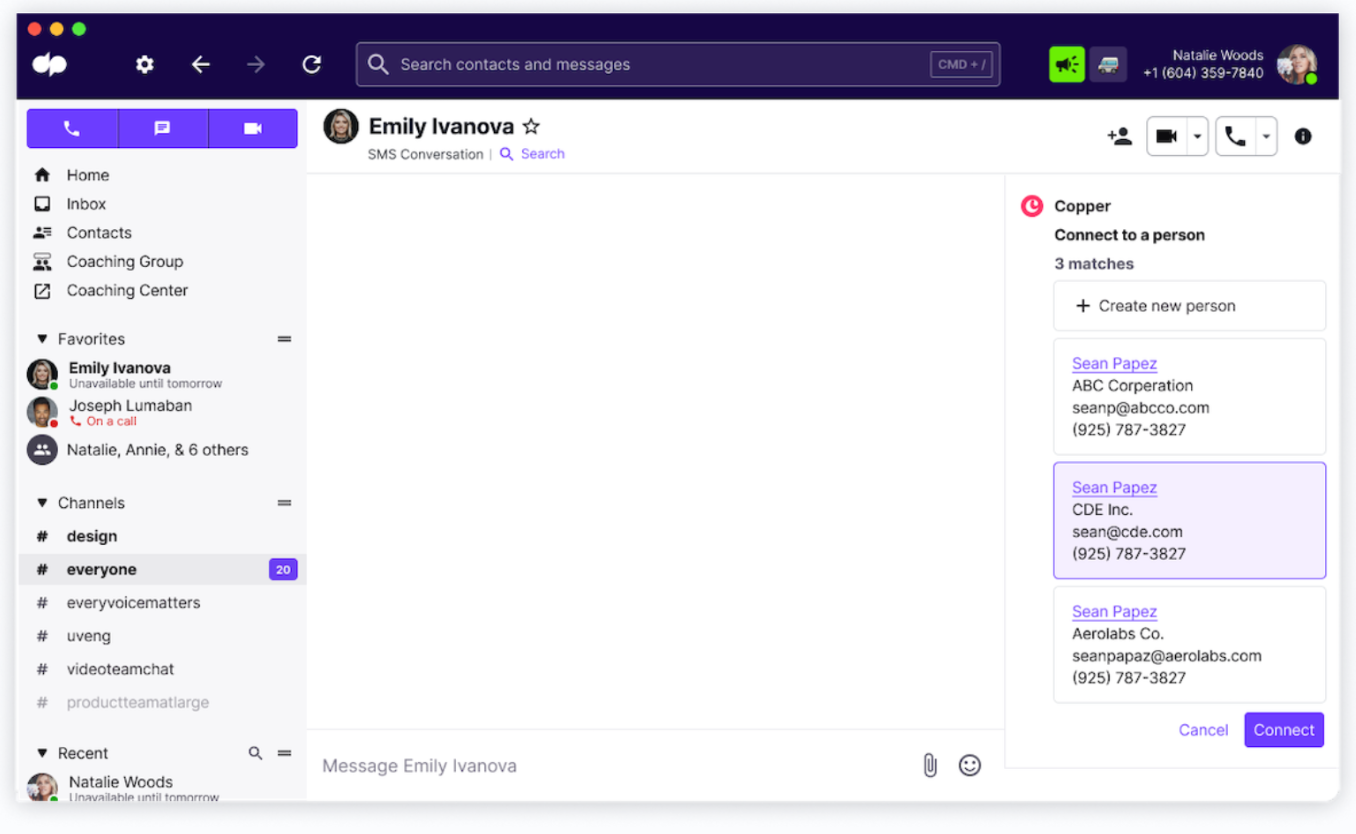
The Dialpad and Copper integration puts all the tools your team needs for better customer experiences in one place. With everything stored in the cloud, your data from both platforms will update and sync automatically across all devices so that you log notes and calls from anywhere. When you integrate Dialpad with your Copper account you reduce the need for agents or reps to switch between multiple apps to perform tasks boosting productivity. Dialpad matches your incoming calls to existing objects in Copper so your reps are always equipped to handle the call. Deliver a highly personalized customer experience with every interaction, increase customer satisfaction, and close deals faster with Dialpad and Copper integrated.
Features:
Available in the integration sidebar within your Dialpad App enjoy the ability to:
Create new leads and call logs
- Dialpad matches your inbound calls to your data in Copper, if no match exists choose to create a new lead or person
- Create a new lead or person and enter subject and description and your call is logged in copper.
Log calls to existing leads
- Dialpad will recognize if an existing match is found in Copper, giving you the option to create a new lead associated with the match.
- Enter the leads subject and description and the call is logged to Copper.
Access call details in Copper
- Discover all your logs within the leads section in Copper.
This integration was built by Dialpad. For questions, support or troubleshooting, contact the Dialpad team.



Frequently asked questions
Can’t find the answer here?
Chat with support.
CRM integration involves connecting other business applications with your CRM platform to feed data to, from or between your tech tools. Copper’s goal with CRM integration is to help you seamlessly sync the business software you use daily to your CRM to give you a complete, accurate snapshot of your business and customers.
Our integrations with Gmail, Google Calendar, Google Contacts and Google Drive are included with all plans. Most of our CRM integrations are included on Professional plans and above, but select integrations are available on Business plans only. Check the plan availability section in each listing to confirm.
Yes! You can set up integrations on a free trial. During your free trial, you will be using our CRM software on the Business plan to experience the full capabilities of Copper. Most of our CRM integrations are included on Professional plans and above, but select integrations are available on Business plans only.
[object Object]
If you work at a B2B software company and you’ve built an integration with Copper, email partners@copper.com to apply to be featured on our integrations marketplace. We’ll get in touch if the integration meets our entry requirements.
It depends on the integration! Check each integration listing page for more detailed instructions. In all cases, you’ll need to be an admin or account owner to set up integrations for your account.
Try Copper free.
Instant activation, no credit card required. Give Copper a try today.