Whalesync
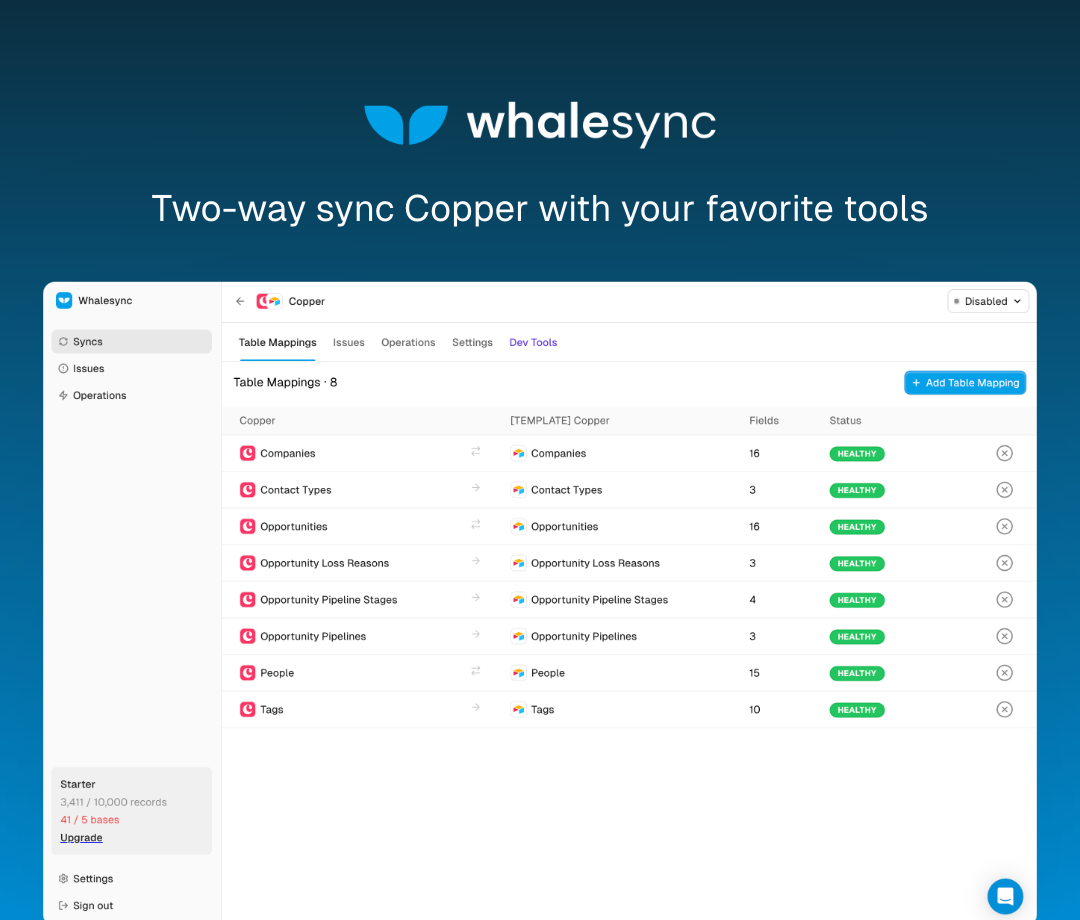
Whalesync enables you to two-way sync Copper with other apps like Airtable, Notion, Postgres, & more. Unlike most integration apps that offer one-way automations, Whalesync lets you truly, bi-directionally, connect your data.
Two-way sync
Automation tools like Zapier are great for simple, one-way if-this-then-that workflows. Unlike most tools, Whalesync is built to handle true, two-way sync across Copper and other apps.
Instant updates
Unlike most integration tools that work on a timer (e.g. once every 10 minutes), Whalesync syncs updates instantly. As soon as we notice a change in Copper we sync it or vice versa.
Supported Connectors
Two-way sync Copper with:
- Airtable
- Postgres
- Notion
- Salesforce
- HubSpot
- & more
Supported Objects
- People
- Companies
- Opportunities
Security
Whalesync is SOC 2 certified and GDPR compliant. You can read more about our enterprise-grade security practices here: https://security.whalesync.com
Installation instructions
- Go to (https://whalesync.com/pricing) and choose a plan.
- Create a new Whalesync account.
- Click "Create new" to create a new Whalesync base.
- Select Copper and click "Authorize", then select your next app and authorize.
- Map the tables in Copper (e.g. Companies) with tables in your other app.
- Map the fields in Copper (e.g. Company Name) with fields in your other app.
- Turn sync on.
Resources
Website - https://www.whalesync.com/
Pricing - https://www.whalesync.com/pric...
Support website - https://docs.whalesync.com/res...
Support email - support@whalesync.com
Terms of Service - https://www.whalesync.com/comp...
Privacy Notice - https://www.whalesync.com/comp...
Documentation - https://docs.whalesync.com/


Frequently asked questions
Can’t find the answer here?
Chat with support.
CRM integration involves connecting other business applications with your CRM platform to feed data to, from or between your tech tools. Copper’s goal with CRM integration is to help you seamlessly sync the business software you use daily to your CRM to give you a complete, accurate snapshot of your business and customers.
Our integrations with Gmail, Google Calendar, Google Contacts and Google Drive are included with all plans. Most of our CRM integrations are included on Professional plans and above, but select integrations are available on Business plans only. Check the plan availability section in each listing to confirm.
Yes! You can set up integrations on a free trial. During your free trial, you will be using our CRM software on the Business plan to experience the full capabilities of Copper. Most of our CRM integrations are included on Professional plans and above, but select integrations are available on Business plans only.
[object Object]
If you work at a B2B software company and you’ve built an integration with Copper, email partners@copper.com to apply to be featured on our integrations marketplace. We’ll get in touch if the integration meets our entry requirements.
It depends on the integration! Check each integration listing page for more detailed instructions. In all cases, you’ll need to be an admin or account owner to set up integrations for your account.
Try Copper free.
Instant activation, no credit card required. Give Copper a try today.