
Elementor Forms
Easily sync contacts from Elementor Forms to Copper and record the form submissions on contact records.
Create custom forms on WordPress with Elementor Forms and sync new submissions to Copper with Outfunnel.
Sync new form entries to Copper automatically
Whenever forms are filled on your website, contact records are created in Copper automatically.
If a contact with a matching email address already exists in Copper, then the form submission is recorded for the contact.
See sync status and easily monitor issues that prevent syncing specific contacts.
Sync any fields on your forms to fields in Copper
Set up field mapping between fields on your form and fields in Copper. Most field types are supported.
Whenever contacts are created from form submissions, the appropriate fields in Copper get populated automatically.
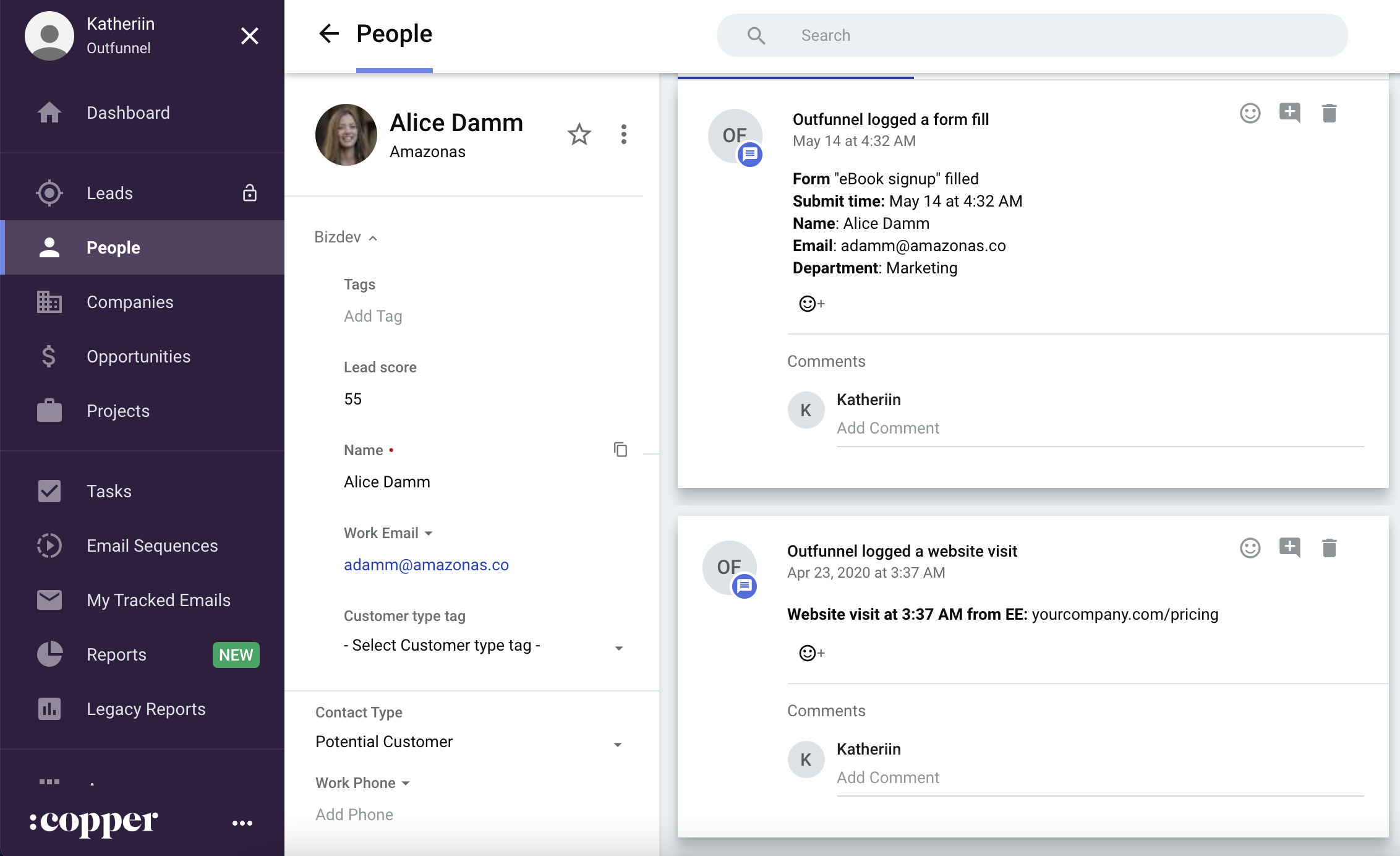
Log form submissions on the contacts’ timelines
Regardless of whether the contact already existed in your CRM or if it’s new, the form submission is logged in Copper.
Sales have full context and up-to-date info on leads so they can sell smarter. No more guesswork.
Capture lead source and track web visits
See what leads do on your website before and after submitting the form with the Website Visitor Tracking feature.
Record the landing page, referrer, and UTM code information in Copper for new leads, so you’ll know what’s driving sales.
This integration was built by Outfunnel – the easiest way to connect sales and marketing apps.




Frequently asked questions
Can’t find the answer here?
Chat with support.
CRM integration involves connecting other business applications with your CRM platform to feed data to, from or between your tech tools. Copper’s goal with CRM integration is to help you seamlessly sync the business software you use daily to your CRM to give you a complete, accurate snapshot of your business and customers.
Our integrations with Gmail, Google Calendar, Google Contacts and Google Drive are included with all plans. Most of our CRM integrations are included on Professional plans and above, but select integrations are available on Business plans only. Check the plan availability section in each listing to confirm.
Yes! You can set up integrations on a free trial. During your free trial, you will be using our CRM software on the Business plan to experience the full capabilities of Copper. Most of our CRM integrations are included on Professional plans and above, but select integrations are available on Business plans only.
[object Object]
If you work at a B2B software company and you’ve built an integration with Copper, email partners@copper.com to apply to be featured on our integrations marketplace. We’ll get in touch if the integration meets our entry requirements.
It depends on the integration! Check each integration listing page for more detailed instructions. In all cases, you’ll need to be an admin or account owner to set up integrations for your account.
Try Copper free.
Instant activation, no credit card required. Give Copper a try today.