Brevo
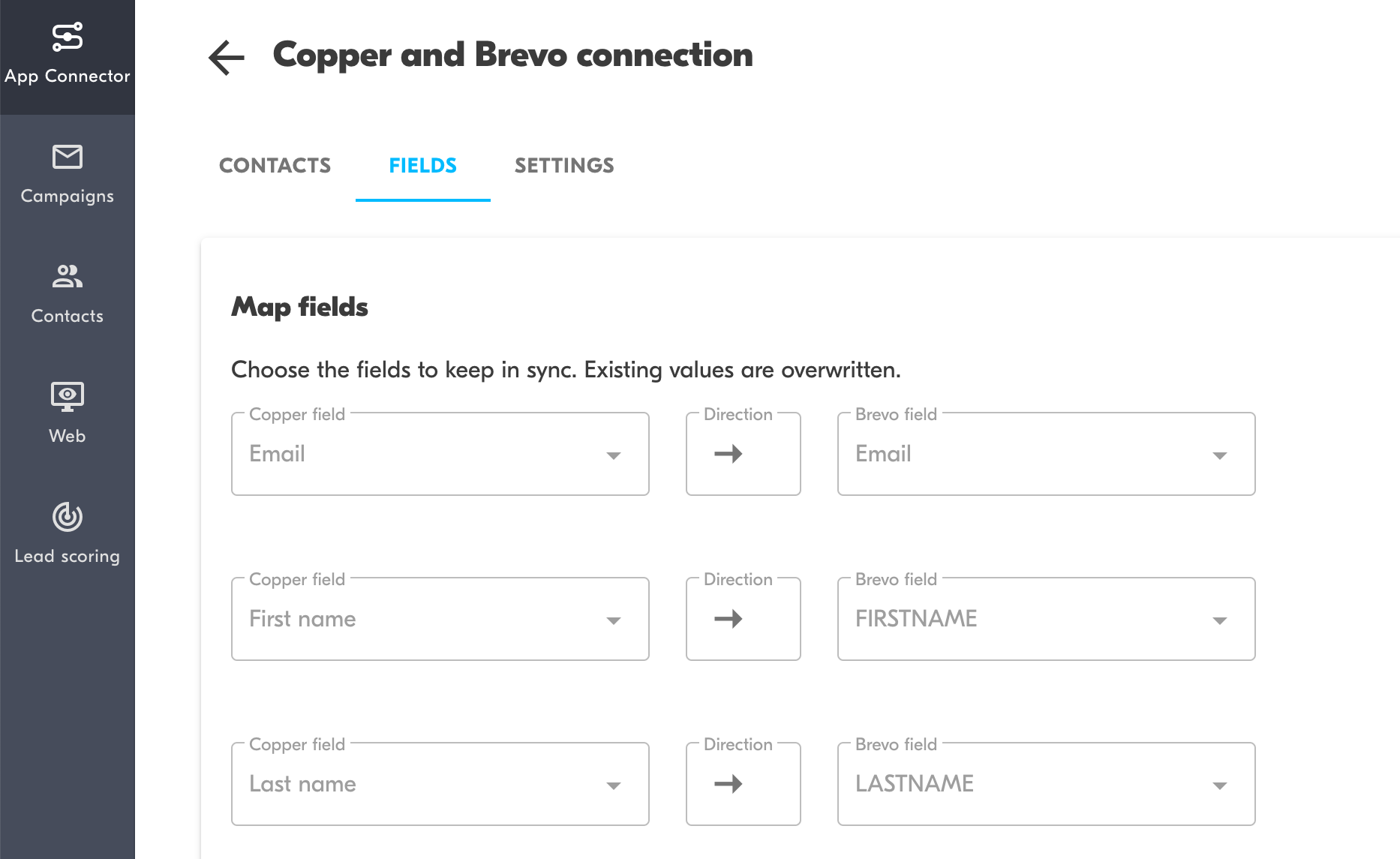
Sync contacts from Copper to Brevo 24/7. Record email opens, clicks, and unsubscribes in Copper. See syncing progress and identify issues.
Sync contacts from Copper to Brevo
Sync all contacts or use Copper segments or tags to define which contacts are synced between the apps.
Powerful field mapping.
Superior handling of duplicates, archived contacts, and changing the email address of a contact in Copper.
See sync status and easily monitor issues that prevent syncing specific contacts.
Sync email engagement from Brevo to Copper
Automatically record Brevo opens, clicks, unsubscribes, and bounces in Copper for better context for the sales team.
Comprehensive unsubscribe management.
This integration was built by Outfunnel – the easiest way to connect sales and marketing apps.




Frequently asked questions
Can’t find the answer here?
Chat with support.
CRM integration involves connecting other business applications with your CRM platform to feed data to, from or between your tech tools. Copper’s goal with CRM integration is to help you seamlessly sync the business software you use daily to your CRM to give you a complete, accurate snapshot of your business and customers.
Our integrations with Gmail, Google Calendar, Google Contacts and Google Drive are included with all plans. Most of our CRM integrations are included on Professional plans and above, but select integrations are available on Business plans only. Check the plan availability section in each listing to confirm.
Yes! You can set up integrations on a free trial. During your free trial, you will be using our CRM software on the Business plan to experience the full capabilities of Copper. Most of our CRM integrations are included on Professional plans and above, but select integrations are available on Business plans only.
[object Object]
If you work at a B2B software company and you’ve built an integration with Copper, email partners@copper.com to apply to be featured on our integrations marketplace. We’ll get in touch if the integration meets our entry requirements.
It depends on the integration! Check each integration listing page for more detailed instructions. In all cases, you’ll need to be an admin or account owner to set up integrations for your account.
Try Copper free.
Instant activation, no credit card required. Give Copper a try today.